
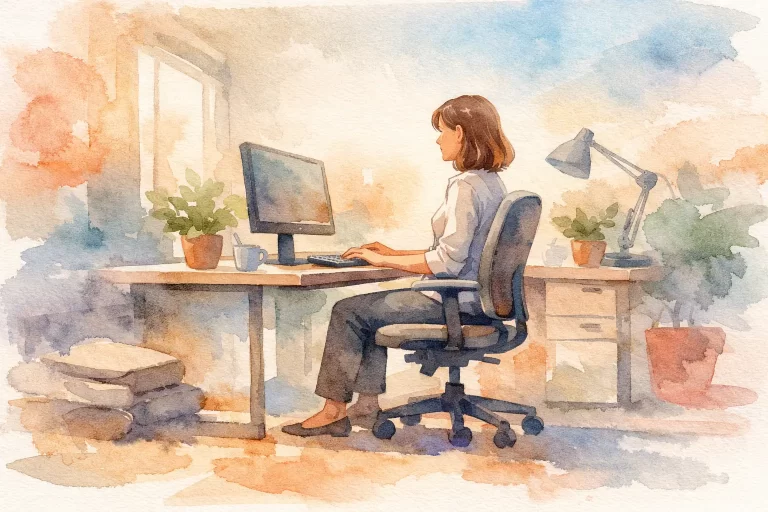
A chair can feel comfortable for the first 10 minutes and still leave your body asking for a break by mid-afternoon. If you work at a desk, drive between appointments, study, or spend evenings answering messages, learning how to improve sitting ergonomics can make a meaningful difference in how supported and at ease you feel throughout the day.
Good ergonomics is not about holding one perfectly rigid posture from morning to night. Your body is built to move. The goal is to create a sitting setup that reduces unnecessary strain, supports your natural alignment, and makes it easier to change positions often.
Why sitting can become uncomfortable
Sitting is not automatically harmful. The challenge is prolonged, repetitive sitting in a position that does not fit your body or your task. When your screen is too low, your chair is too deep, or your feet are left dangling, your body has to compensate. You may gradually lean forward, round through the upper back, tense your shoulders, or twist through your hips to reach what you need.
Those small compensations can add up over a workday. Many people notice stiffness through the neck, shoulders, mid-back, low back, hips, or wrists. Others simply feel tired, restless, or less focused by the end of the day.
The helpful reframe is this: there is no single ideal sitting position that must be maintained perfectly. The best posture is usually the next posture. A supportive setup gives you a comfortable starting point, while regular movement keeps your body from becoming locked into any one position.
Start with the chair you already have
You do not need a complete office makeover to make improvements. Begin with the chair, because it sets the foundation for the rest of your workstation.
Sit back so your hips are supported by the backrest, rather than perching at the front edge of the seat. Aim for your feet to rest comfortably on the floor. If your feet cannot reach, use a stable footrest, a firm box, or even a stack of sturdy books. Unsupported feet can encourage you to slide forward and place more tension through your low back and legs.
Your knees should generally be level with, or slightly lower than, your hips. This position often feels more open through the hips and makes it easier to maintain contact with the back of the chair. If your chair is too high and lowering it means your desk is suddenly too tall, adjust the desk or keyboard height where possible before compromising your foot support.
Seat depth matters too. If the front edge of the chair presses into the backs of your knees, try placing a small cushion behind your low back to bring you forward slightly. You should be able to leave a small gap between the edge of the seat and the back of your knees.
Add gentle low-back support when it helps
The natural curve of the low back is different for every person. A rolled towel, small lumbar cushion, or folded sweater can offer a little extra support if your chair feels flat or encourages you to slump. It should feel gentle, not force you into an exaggerated arch.
If added support causes more discomfort, remove it or reposition it. Ergonomic tools are useful only when they fit your body and help you feel more relaxed, not more braced.
Improve sitting ergonomics by adjusting your screen
Your screen location has a powerful effect on your head and neck position. When a monitor is too low, many people gradually bend forward to see it. When it is too far away, they may lean toward it. When it sits off to one side, the body often spends hours rotating in the same direction.
Place the top third of your screen roughly at eye level, with the screen about an arm’s length away as a starting point. If you wear progressive lenses, you may need to position the monitor slightly lower to avoid tipping your head back. The right height depends on what allows your eyes to see clearly while your neck stays comfortable.
For laptop users, the screen-and-keyboard design creates an unavoidable compromise. Raising the laptop improves screen height but makes the keyboard too high. If you work on a laptop for more than brief periods, consider raising the device on a stable stand or stack of books and using an external keyboard and mouse. This simple change can make a home workstation feel far more adaptable.
If you use two screens, place the primary screen directly in front of you. If both are used equally, position them close together in a gentle curve, with the middle point in front of your body. Avoid spending a full day repeatedly turning your head to one far-off side.
Let your arms and hands work without reaching
Your keyboard and mouse should be close enough that your elbows can rest near your sides. You do not need to pin your arms tightly to your body, but reaching forward all day can create unnecessary tension through the shoulders and upper back.
Aim for forearms that are roughly parallel to the floor, with wrists in a neutral, relaxed position. If your wrists are bent sharply upward to reach the keyboard, your chair may be too low or your keyboard tray may be too high. If your wrists are bent downward, the chair or desk may be too high for you.
A common habit is holding the mouse far to the side, especially when the keyboard has a numeric keypad. Bring the mouse closer when possible. Small adjustments in reach can reduce the tendency to hike one shoulder or lean to one side.
For frequent phone use, avoid cradling the phone between your ear and shoulder. Use speakerphone, headphones, or a headset when you need both hands free. Your neck will appreciate the change.
Build movement into your work rhythm
Even a beautifully adjusted workstation cannot replace movement. Rather than waiting until you feel very stiff, create regular opportunities to change position before discomfort builds.
A useful starting point is to stand, walk, stretch, or simply shift positions for a minute or two every 30 to 60 minutes. The exact interval depends on your work, concentration demands, and body. A busy parent working from the kitchen table may need shorter, more frequent resets than someone with a fully adjustable office setup.
Keep these movement breaks simple. Refill your water, walk to another room, roll your shoulders, gently turn your head side to side, or stand and reach overhead. You can also take calls while standing or walking when the conversation allows.
The goal is not to turn your workday into a fitness routine. It is to remind your nervous system and muscles that they have options. Frequent, easy movement is often more sustainable than one long stretch session at the end of a demanding day.
Make your workspace fit real life
Many Edmonton families are working, studying, caregiving, and managing household life in the same space. A dining chair, kitchen counter, or couch may be the only available workstation on some days. In those moments, perfection is not the standard. Small supports can still help.
At a dining table, place a cushion behind your low back and elevate your laptop screen if you have an external keyboard. At a kitchen counter, alternate between standing and using a supportive stool rather than leaning into the counter for hours. On the couch, avoid making it your full-time office if possible. Its soft surface often encourages your pelvis to roll backward and your head to drift forward.
Children and teens also benefit from a workspace that fits them now, not one designed for an adult. Their feet should be supported, their screen should not require constant neck bending, and they should have regular opportunities to get up and move. As they grow, their setup will need to change too.
Notice the signals your body is giving you
Ergonomics works best when it is individualized. A setup that feels wonderful for one person may not suit another person’s height, proportions, vision needs, mobility, or work tasks. Pay attention to patterns. Does discomfort appear after a certain activity? Is one side of your body consistently working harder? Do you feel better after changing chair height, screen distance, or break frequency?
Persistent pain, recurring numbness or tingling, weakness, or symptoms that interfere with daily activities deserve a professional assessment. A chiropractor can assess how your posture, movement patterns, and spinal function may be contributing to discomfort, then help you create a care plan that supports your goals. At One Village Family Chiropractic, we believe informed, gentle care and practical daily habits can work together to help you feel more resilient in the activities that matter to you.
Your workstation does not have to be flawless. Start with one adjustment that makes your body feel more supported, then add another when you are ready. A chair set to the right height, a screen brought closer to eye level, and a few minutes of movement throughout the day can become a quiet form of care for yourself.